Services and community
Accounting firm video marketing: a filing-season calendar
Build a filing-season video calendar with document reminders, separate business deadlines and a plan for reviewing every date before posting.
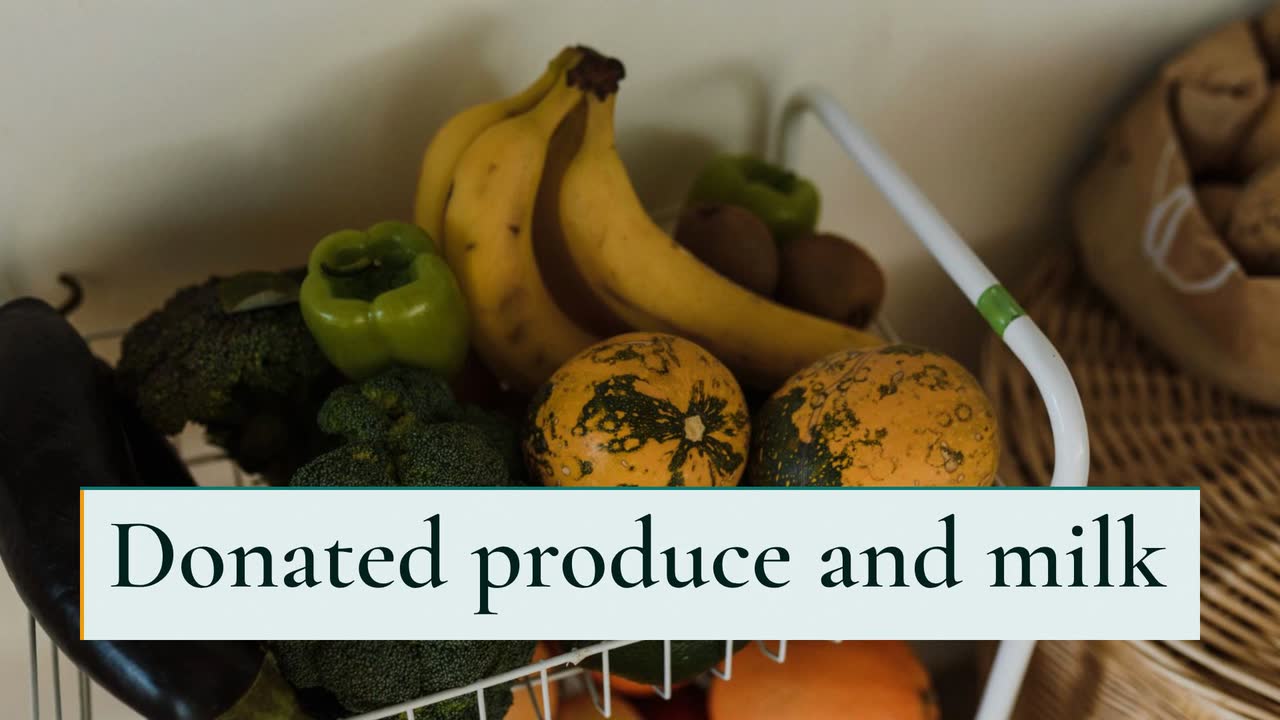
If you run fundraising or communications for a small nonprofit or community group, this walkthrough helps you turn one funded need into a video campaign. Follow an invented food pantry raising money for a walk-in cooler: choose from six concrete video ideas, adapt a text-only brief, plan the weeks before the appeal and report what happened afterward. You will also check consent, donation wording and the difference between a project drawing and evidence of completed work.
Eastside Community Pantry and its coordinator, Rosa, are invented. In this example, farms offer produce and milk, but two household fridges leave too little storage. An illustrative installer quote puts a walk-in cooler and electrical installation at $18,000. This is a fictional campaign budget, not a typical cooler price.
Before copying the idea, get a quote for your own site and ask what it excludes: delivery, electrical upgrades, operating costs or contingency. Decide which costs the appeal will fund. Avoid translating a donation amount into meals unless your records support that calculation.
Rosa asks the pantry team what they want explained and chooses storage capacity as the subject. Her appeal names the equipment, the cost and the purpose. It does not promise to end hunger or imply that families must share a personal story to receive food.
Use the Project showcase template (Build timeline version) as an example brief and storyboard. This invented pantry asks for a 30 s, 16:9 website video with English narration. The timeline shows proposed work, not a finished installation.
Make a 30 s, 16:9 fundraising video for the invented Eastside Community Pantry, using the build style and English narration. We need more cold storage for donated produce and milk. Goal: $18,000 for a walk-in cooler and electrical installation by December 1, 2026. Show a stock photo of a fridge stocked with produce, then a proposed timeline: quote received, electrical work, cooler installation. Keep the label "Proposed project" visible over future work. Use #0f766e, #f59e0b and #f0fdfa. No people or personal stories. End with "Help fund the cooler" and "Eastside Community Pantry". The donation button will sit beside the video on our website.
| When | On screen | Why |
|---|---|---|
| 0–4 s | "More cold storage for Eastside Community Pantry" over the stock photo of a stocked fridge. | Name the need before introducing the cost. |
| 4–9 s | The fridge photo with the label "Donated produce and milk". | Explain the storage constraint without inventing a waste total. |
| 9–20 s | "Proposed project" above a timeline: quote received, electrical work, cooler installation. | Only the quote is marked received; future stages stay visibly planned. |
| 20–26 s | "Goal: $18,000" and "By Dec 1, 2026". | Keep the budget and deadline readable; explain cost details beside the video. |
| 26–30 s | "Help fund the cooler" and "Eastside Community Pantry". | The pantry closes with one action; the adjacent donation button supplies the route. |
| Outro | The ProcVideos outro closes the video. | |
The organisation and budget are fictional. Replace them with verified details. The sample narration can be short: "Help Eastside Community Pantry add cold storage for donated food. Our proposed project includes electrical work and a walk-in cooler. Our goal is eighteen thousand dollars by December first, twenty twenty-six. Help fund the cooler." Use the brief-writing guide to keep other details out of the narration.
Try a brief like this one
Videos Creator is coming to Attain OS. You can create your Attain OS account today.
GivingTuesday lists December 1, 2026 as this year's date. The schedule below is an editorial suggestion, not a requirement or a promise of donations. Count backward from your own deadline.
Confirm the quote, cost coverage and deadline. Agree what you will tell donors if the appeal raises more or less than needed. Put that explanation on the donation page before sharing the video.
Write the brief and a separate volunteer message. Ask the treasurer to check the amount and a programme colleague to check the drawings. Watch on a phone without sound: can you read the goal and find the donation route?
Ask volunteers and past donors where the message is unclear. Have one person try the donation page on a phone. Fix broken links, ambiguous recurring-gift choices and wording that makes proposed work look finished.
Start with your website and the social channels you already maintain. Place the donation route beside the website video; adapt the close for each social post and test the actual route. Avoid assuming a pasted link works the same everywhere.
Use reconciled payments, not pledges, for a received total. State its date and whether it is before fees. Keep promised matching funds separate until their status is clear.
Publish the latest confirmed total. Thank supporters even if you miss the goal. Announce the next update date; if payments are still being reconciled, label the amount provisional rather than presenting it as final.
Choose the messages your campaign needs; you do not need to produce them all. The timings and sample lines below are suggestions, not measured performance claims.
Show the existing fridges and a labelled proposed cooler. Use the approved goal, deadline and one donation action. Do not put an imaginary installation date on screen.
Try this: At launch, try: "Help us add cold storage for donated produce and milk."
Use task labels: sort sealed items, check dates, pack boxes. Add the actual shift time, duration and signup route; check training, access needs and any lifting requirement with the volunteer lead.
Try this: Before an unfilled shift, name that shift rather than asking for "more volunteers".
Service offer · Checklist typeDraw the items the pantry currently accepts. Pair that list with collection hours and a place to check updates. Confirm storage capacity before encouraging perishable donations.
Try this: Before a collection, try: "Check our current list before you shop."
Draw the stages from approved quote to electrical work to installation. Keep "Proposed project" visible. Put uncertainties in the accompanying text instead of animating every stage as complete.
Try this: When supporters ask what the goal covers, show the project sequence.
Project showcase · Build timeline buildShow the goal beside money received and the remaining gap. Reconcile the figures before publishing. If a sponsor offers a match, confirm its cap, deadline and eligible gifts before saying "your gift is doubled".
Try this: During the appeal, try: "Received as of today; still needed for the cooler."
After the work, use confirmed completion dates and spending figures. Label drawings as illustrations. Link the post to a project update with evidence; an animated shelf is not proof of food delivered.
Try this: Once verified, explain what was installed and what you will measure next.
The Dóchas ethical communications guide addresses humanitarian and development NGOs. Use its dignity and informed-consent principles as a starting point, alongside your own safeguarding policy. Check current local privacy rules before publishing; this is not legal advice.
Start the update with what your records establish: money received, project spending and installation status. A paid invoice, an installed cooler and food distributed are different milestones. Do not turn one into evidence of the others. If you count produce accepted afterward, state the period and how you counted it.
If the goal was missed, give the confirmed amount and the next decision. For example: "We are checking a smaller cooler option and will update you after the board meets." Do not promise reserve funding, redirect donations or announce installation before the relevant decisions are approved.
Use enquiries to improve the next post: did donors ask about costs, volunteer tasks or donation routes? Answer those questions directly. A thank-you is useful even before you can report outcomes; give the next update date rather than manufacturing a success story.
Yes, if they want to and your consent and safeguarding process supports it. Use the [Dóchas guidance](source:1) to plan permission, review and risk checks. Consent alone does not settle every safety concern. Check current local rules; this is not legal advice.
Check what the campaign budget actually includes, including fees and installation. Use wording the treasurer can substantiate. If the amount is before fees, say so; do not imply that administration or ongoing electricity has no cost.
Use a dated version only if you have a current goal or confirmed progress to communicate. Otherwise keep the main appeal and update the accompanying text. Remove stale dates afterward, and explain whether the appeal remains open.
One real shift: task, date, duration and signup action. Put checked requirements and accessibility information on the signup page. Ask the volunteer lead to confirm that the role exists before posting a call for help.
Check the current policy for the platform and content you plan to publish; do not assume drawings or optional AI narration are exempt. A plain process note can explain how you made the video, but it does not replace a required platform label.
Example templates
An example template is a sample brief and storyboard for one kind of video, in one style, format and length.
Rules and platform features change. Check the source before you rely on it.
Services and community
Build a filing-season video calendar with document reminders, separate business deadlines and a plan for reviewing every date before posting.
Construction and trades
For local roofers: storm-response posts, estimate explainers and replacement updates that show the work without promising insurance coverage.
Construction and trades
Turn job phases, planting questions and cleanup quotes into useful clips, with a local posting plan and an illustrated backyard brief.

Basics for everyone
Turn a vague request into a usable video brief: follow a bike shop, plan the screen text and adapt eight examples to your business.
Tell the Attain OS team what you want to make.
Videos Creator is coming to Attain OS. You can create your Attain OS account today.