YouTube
Procedural videos for YouTube
Describe it in a sentence. Get a vertical Short, or a 16:9 version.
YouTube
A real example in vertical 9:16
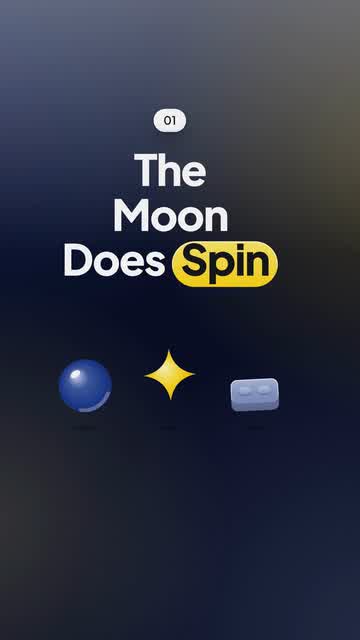
Real output: how this video was made
- Title
- Why the Moon shows us the same face
- Brief
A 20 s Short: why the Moon always shows us the same face
- Style
- Build
- Format
- Vertical 9:16
- Length
- 20 s
- Narration
- English, Mia voice
- Music mood
- Playful
- Plan
- Written by an AI planner
- Scene
- Template scene
- Made by
- Procedural Videos, from this brief (the preview is a plain cut of its output)
The product form also asks for a short title and one of eight music moods. The AI planner wrote the on-screen lines and the call to action.
01Brief
A 20 s Short: why the Moon always shows us the same face
02PlanAI planner
- format
- 9:16
- length
- 20 s
- narration
- English
03Drawn by code
- style
- Build
- colours
#1E3A8A#FACC15#0B1026
04Frames1 tick = 1 s ≈ 1 credit
playhead 04.1 / 20 s
- credits
- 20
05MP4
20 s
1080p · 30 fps MP4
- credits
- 20 ≈ $2.00
Why it works on YouTube
Vertical for Shorts
A 9:16 video under three minutes is a Short; ours are 10, 15, 20 or 30 s.
Text you can read
Hooks and labels are drawn as real type, sharp at 1080p.
Your own take
Each video is generated fresh from your brief. Regenerate with feedback for another.
What you get
- Vertical 9:16
- Horizontal 16:9
- 10, 15, 20 or 30 s
- 1080p MP4 at 30 fps
- Music and sound effects
- Optional English narration
Narration is an optional AI voice. If you add AI narration, follow YouTube's AI-content labeling rules.
Questions about videos for YouTube
Can I make a long YouTube video?
No. Videos are 10, 15, 20 or 30 seconds, in 9:16 or 16:9. For your channel, a 16:9 video works as an intro, a teaser or a short clip.
Is it AI-generated video?
AI plans each video and writes it as code; a render engine then draws every frame. There is no AI-generated footage or images, so there is no morphing or flicker.
Does it post to YouTube for me?
No. You download the MP4 and post it yourself.
Have a video in mind?
Tell the Attain OS team what you want to make.
Videos Creator is coming to Attain OS. You can create your Attain OS account today.
YouTube is a trademark of its owner. Procedural Videos is not affiliated with, endorsed or sponsored by YouTube.