Procedural videos for LinkedIn
Describe it in a sentence. Get a 16:9 or vertical video for your company page or profile.
A real example in horizontal 16:9
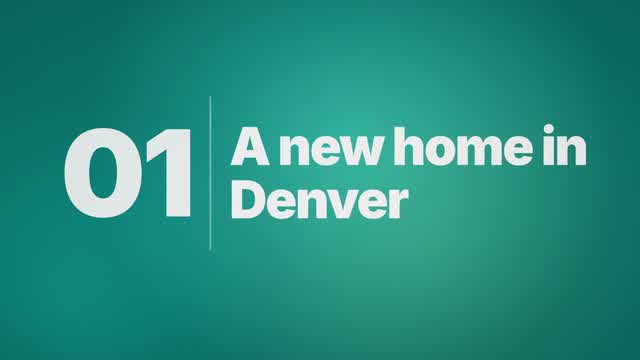
Real output: how this video was made
- Title
- Northwind Logistics opens its Denver hub
- Brief
A 20 s company update: Northwind Logistics opens its Denver hub, in #0F766E
- Style
- Type
- Format
- YouTube 16:9
- Length
- 20 s
- Narration
- English, Dean voice
- Music mood
- Corporate
- Plan
- Written by an AI planner
- Scene
- Template scene
- Made by
- Procedural Videos, from this brief (the preview is a plain cut of its output)
The product form also asks for a short title and one of eight music moods. The AI planner wrote the on-screen lines and the call to action.
01Brief
A 20 s company update: Northwind Logistics opens its Denver hub, in #0F766E
02PlanAI planner
- format
- 16:9
- length
- 20 s
- narration
- English
03Drawn by code
- style
- Type
- colours
#0F766E#F59E0B#F0FDFA
04Frames1 tick = 1 s ≈ 1 credit
playhead 04.1 / 20 s
- credits
- 20
05MP4
20 s
1080p · 30 fps MP4
- credits
- 20 ≈ $2.00
Why it works on LinkedIn
Both formats
16:9 and vertical 9:16 fit LinkedIn posts, at 1080p and 30 fps.
Clear with the sound off
The message is on screen as real type; narrated videos come with an SRT caption file.
On brand
Your brand colours keep every company-page video consistent.
What you get
- Horizontal 16:9
- Vertical 9:16
- 10, 15, 20 or 30 s
- 1080p MP4 at 30 fps
- Music and sound effects
- Optional English narration
Narration is an optional AI voice. If you add AI narration, follow LinkedIn's AI-content labeling rules.
Questions about videos for LinkedIn
Can I use it for LinkedIn video ads?
We have not tested LinkedIn ad uploads; this page is about posts on a page or profile. Videos export at 30 fps.
Is it AI-generated video?
AI plans each video and writes it as code; a render engine then draws every frame. There is no AI-generated footage or images, so there is no morphing or flicker.
Does it post to LinkedIn for me?
No. You download the MP4 and post it yourself.
Have a video in mind?
Tell the Attain OS team what you want to make.
Videos Creator is coming to Attain OS. You can create your Attain OS account today.
LinkedIn is a trademark of its owner. Procedural Videos is not affiliated with, endorsed or sponsored by LinkedIn.