Services and community
Accounting firm video marketing: a filing-season calendar
Build a filing-season video calendar with document reminders, separate business deadlines and a plan for reviewing every date before posting.
If you run a market, book a gig, teach a workshop or organise a fundraiser, your event promo videos need to help someone make an attendance decision. This guide gives you a pre-post checklist, a flexible countdown and specific cards for lineups, learning outcomes and arrival details. Use it to decide which facts belong on screen, which belong on the event page, and what to change as the date gets closer.
Check the whole post, caption and event page. The announcement needs essential attendance facts; a speaker reveal can point to the full details.
This is a suggested schedule for an event with six weeks to prepare, not a proven posting frequency. For a shorter lead time, combine participant reveals and keep the announcement, arrival information and any change notices.
| Suggested timing | Post to prepare | What to confirm first |
|---|---|---|
| 6 weeks before | Announcement: name, date, venue and entry | Venue booking and working booking link |
| 4 weeks before | Introduce an act, vendor or speaker | Participation and approved name or talk title |
| 3 weeks before | Show the running order or workshop outline | Doors time versus programme start |
| 2 weeks before | Explain an actual booking deadline, if there is one | Date, time and what changes after it |
| 1 week before | Answer a question from enquiries | Materials, age policy or included activities |
| 3 days before | Arrival card: entrance, transport and rain plan | Venue instructions and latest weather contingency |
| Day before | Reminder with the full date, time and place | No changes to the schedule or admission |
| Morning of | Today card, then a separate setup recording | Whether walk-ins are still welcome |
| Day after | Thank-you and a confirmed next date, if available | Images cleared for use and the next booking details |
Answer a real audience question. Keep the event name and date visible; use the remaining space for one decision.
Separate doors opening, the first act and the headliner. Label provisional times. Keep the full running order on the event page rather than squeezing every act into one card.
Try this: After set times are confirmed, post an arrival card three days before and check it again on the morning of the gig.
Name a confirmed stallholder and a specific offering: hand-thrown mugs or filled pastries. Add the date and opening hours; send the card and event link to the vendor to share.
Try this: Try the Now open template (Bold opening version) as an example brief and storyboard for a vendor announcement.
Now open · Bold opening posterFor pottery, say if attendees collect fired work later. For baking, say whether ingredients are included. Name the skill level and equipment needed, without promising everyone will master the technique.
Try this: Post an included-materials card when bookings open, then a bring-with-you reminder before the class.
Ask the speaker to approve a session title and one practical question it addresses. Show that question and session time. Clarify whether the talk requires separate booking or is included in admission.
Try this: Release one session card after confirmation; put the full agenda and booking conditions on the event page.
Name two confirmed activities and any separate payment. Choose decoration for the actual local season. Put weather updates in a separate card so the announcement remains useful.
Try this: Use the Seasonal store template (Summer version) as a brief-and-storyboard example when the summer look fits. Post the rain plan before attendees travel.
Seasonal store · Summer rushSeparate ticket price from fundraising target. Name the beneficiary and use of funds, such as replacing the community hall roof. If expenses are deducted, avoid implying that the whole ticket price reaches the cause.
Try this: Explain the purpose when tickets open. Use the nonprofit fundraising guide to plan the follow-up on how funds were used.
For covered U.S. live-event tickets, FTC guidance requires advertised prices to include mandatory fees. Government charges, shipping and optional extras may initially be excluded, but must be disclosed before payment. Check current rules and coverage for your event; this is not legal advice.
Before exporting a price card, open the booking flow and compare the amount for the advertised ticket. Label any date, age or membership condition beside the offer. If a price changes, replace the card and stop scheduled posts carrying the old amount.
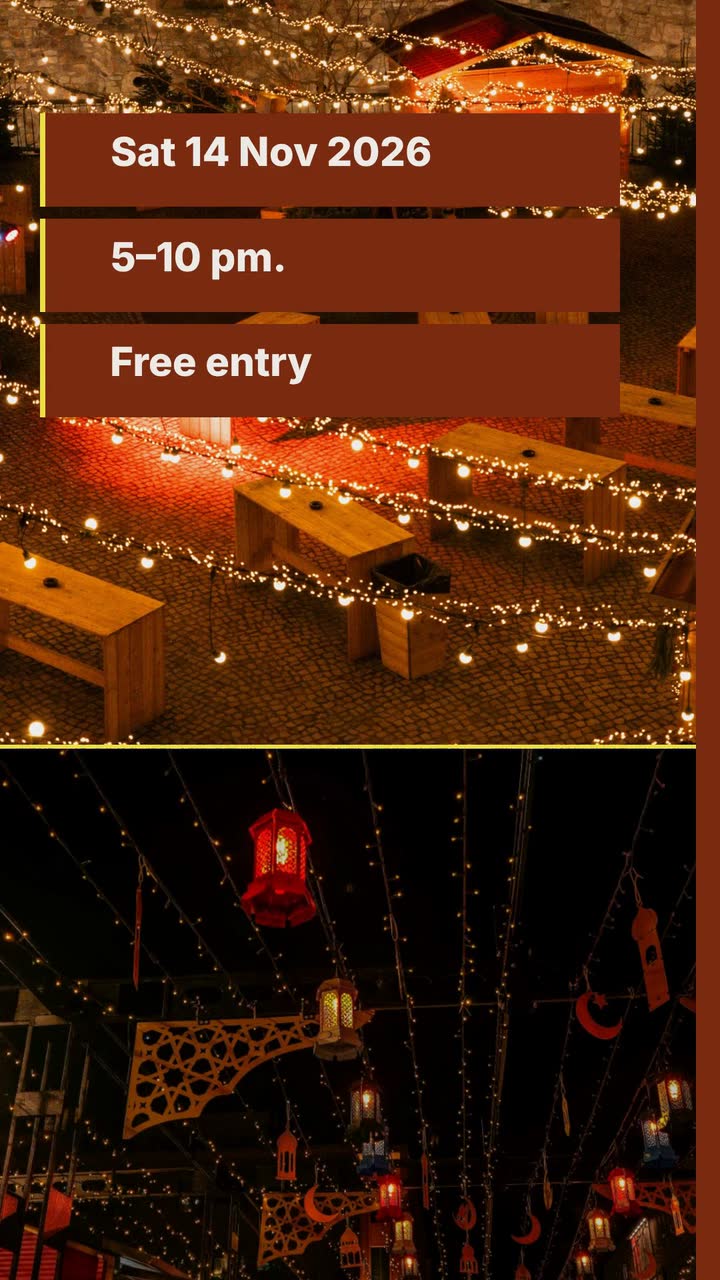
Riverside Market is invented. This 10 s, 9:16 announcement adapts the Now open template (Bold opening version), an example brief and storyboard. Vendor lists and music times go in separate posts.
Create a 10 s vertical 9:16 announcement in the poster style for Riverside Market, a new monthly night market. First date: Saturday, 14 November 2026, 5–10 pm. Food and craft stalls; free entry, with purchases paid separately. Location: Mill Street car park, Brookford. Use #7c2d12, #fde047 and #fff7ed. Close with “Visit Mill Street car park, Brookford”. Text over a stock photo of an evening market with string lights. No narration; upbeat music and sound effects.
| When | On screen | Why |
|---|---|---|
| 0–2 s | “Riverside Market” over the market photo with a rust ribbon. | Establish the event name without an extra slogan. |
| 2–5 s | “Sat 14 Nov · 5–10 pm” in large type. | Give the most important attendance details a longer hold. |
| 5–7 s | “Food · Crafts · Free entry” on a yellow panel. | One short line says what to browse and how admission works. |
| 7–10 s | “Visit Mill Street car park, Brookford”. Keep the market name visible. | Finish with the market’s own invitation and location. |
| Outro | The ProcVideos outro closes the video. | |
The business, town and event details are fictional. Put the year, full address, map and confirmed access details in the caption. Review on a phone without sound; cut crowded text rather than shrinking the date.
Try a brief like this one
Videos Creator is coming to Attain OS. You can create your Attain OS account today.
Record real clips separately with your camera. Assign someone to post and check admission updates while someone else handles doors.
Film the entrance or check-in desk, the identifying sign and its opening time. Keep customers’ names and booking details out of shot.
Show a real stall or demonstration you are cleared to film. Say whether walk-ins are welcome, booking is required or admission has closed. Avoid inviting people to a workshop already underway.
If late arrivals are allowed, post last admission and closing times. Check whether individual activities finish earlier; the market closing time may not be their cutoff.
Share cleared images, thank participants by their approved names and update the event page. Announce the next date only once confirmed. Save unanswered arrival questions for the next campaign.
Use an announcement, a post answering the main booking question and an arrival reminder. If bookings are required before event day, put that deadline ahead of the arrival post. Ask confirmed participants to share the same date and booking link. Skip daily countdown numbers that add no useful information.
An announcement should make cost and location easy to find; a speaker reveal can point to the full event details. If you do show a ticket price, check the pricing guidance above rather than using a base price that changes at checkout. Keep any offer conditions beside it.
Make the status the largest line, then give the confirmed next step: a waitlist, a contact route or the organiser’s published booking instructions. Update the event page, tell participants and stop scheduled reminders. Avoid promising refunds or a replacement date that have not been confirmed.
Use a separate post with your own venue recording, cleared for publication. Let the drawn card carry the name, date and directions. A Procedural Videos brief is text only, so describe simple signs and shapes for that card. Do not present the illustration as a view of the actual venue.
For U.S.-facing endorsements, [FTC guidance covers payment and free perks](source:2). Disclose the relationship clearly with the endorsement, within the video, in its language. A platform tool alone may be insufficient. Check current rules for your audience; this is not legal advice.
Example templates
An example template is a sample brief and storyboard for one kind of video, in one style, format and length.
Rules and platform features change. Check the source before you rely on it.
Services and community
Build a filing-season video calendar with document reminders, separate business deadlines and a plan for reviewing every date before posting.
Beauty and fitness
Twelve salon clips: explain colour prices, film honest transformations, announce open appointments and build a colour-menu storyboard.

Basics for everyone
Turn a vague request into a usable video brief: follow a bike shop, plan the screen text and adapt eight examples to your business.
Services and community
A food pantry campaign with six video ideas, a cooler appeal, volunteer shifts and an honest results update that protects the people it serves.
Tell the Attain OS team what you want to make.
Videos Creator is coming to Attain OS. You can create your Attain OS account today.