Beauty and fitness
Yoga studio marketing videos: answer the first-class questions
Turn first-class questions into useful yoga studio videos: choosing a class, finding the door, borrowing a mat and understanding the intro offer.
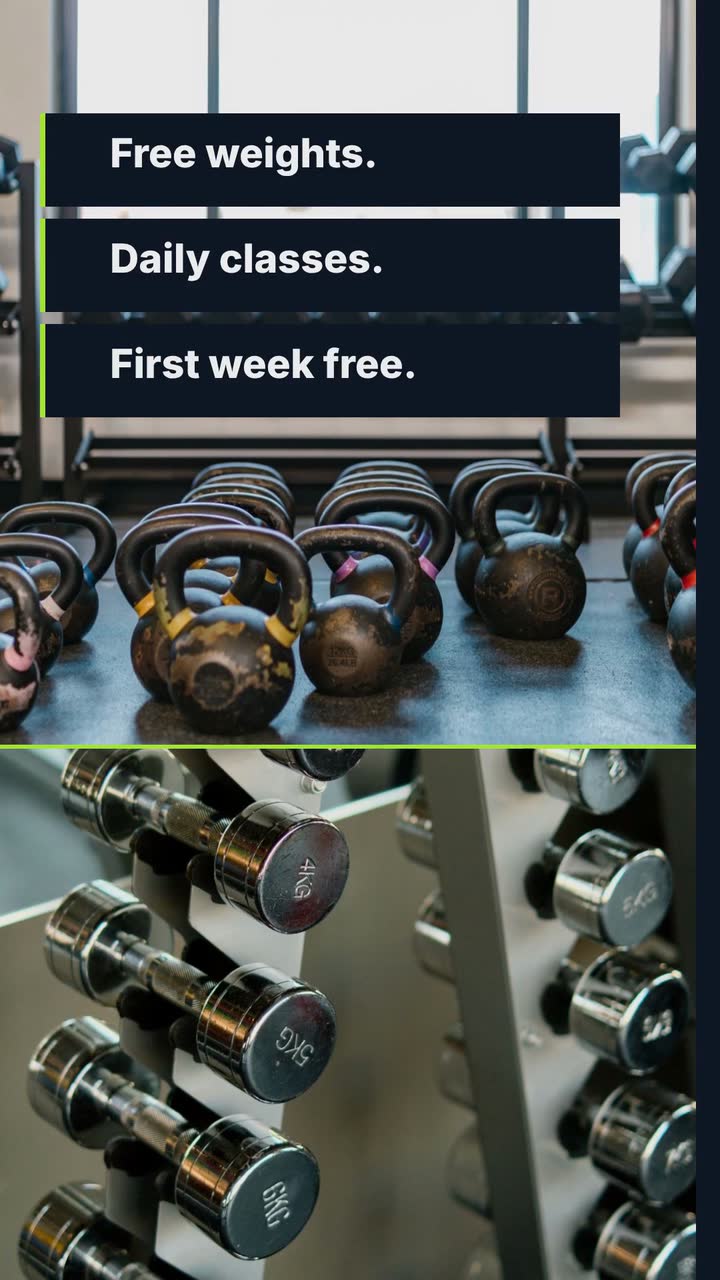
For independent gyms, boxing and strength studios, and coaches handling social accounts, these gym promo video ideas turn reception questions into posts. You get a year of prompts, shots for the training floor, membership-offer checks and a trial-pass brief for an invented gym. Choose a decision to support: book an introduction, try a class or ask about a pass.
Use these dates as prompts, not demand forecasts. Move summer and school rows to your local seasons and term dates; keep January and holidays on their actual dates. Plan only sessions and offers your team can deliver.
Announce when January introductions open. Film the entrance, reception and where new visitors should wait.
Use reception’s most frequent arrival question as the headline.
Post the trial offer and a real first-visit walkthrough: bag storage, footwear, check-in and who gives the introduction.
Confirm whether visitors need a booking or can arrive directly.
Feature a beginner class with its time, coach, duration and booking route.
Explain expected experience and adaptations; avoid saying the class suits everyone.
Answer a new member’s question about booking again, equipment help or changing sessions.
Choose a question from this month’s messages rather than assuming another discount is needed.
For an attendance challenge, explain its start, eligible sessions and participation record.
Clarify missed-session arrangements; focus on attendance rather than promised weight change.
Film a coach explaining what happens in a first strength session.
Name their role and verify displayed qualifications; film where the introduction happens.
Explain a summer pass: facilities, access hours, expiry and renewal.
Compare the card with what reception sells; distinguish expiring passes from recurring memberships.
Show your holiday timetable or visitor pass, then how to book.
Disclose class restrictions and post changes before members rearrange visits.
Feature a class around school-return schedules, with its start and finish times.
If childcare is offered, explain booking, ages and hours in accompanying information.
Invite returning members to learn about new equipment or changed classes.
Show the change and how to book help; use attendance records to decide on promotions.
Announce a member event and holiday hours in separate posts.
Distinguish door-access hours from staffed hours; confirm both before recording.
Explain a gift pass: redemption, expiry, booking and eligibility.
If gifts are not offered, post holiday arrangements; remove expired pinned promotions.
Use your phone for real spaces, people and technique. Drawn cards can explain offers and schedules. The template names below refer to example briefs and storyboards, not a filming tool or a way to bring your footage into Procedural Videos.
Show the gym’s name, what is available and how to find the entrance. If access is through a side door, explain that in a separate real walkthrough. Post the opening announcement once the date and staffed hours are confirmed.
Try this: Use the Now open template (Bold opening version) as a brief-and-storyboard example; close with where a first visitor should go.
Now open · Bold opening posterPut eligibility and the end of the trial beside the offer. For recurring membership, include the next charge and cancellation conditions. For a pass that expires, say so. Use the same wording as your booking page.
Try this: The Service offer template (Seasonal offer version) is an example for arranging offer text. Simplify the offer if the conditions cannot remain readable.
Service offer · Seasonal offer posterMake a series around actual equipment questions: where to adjust the seat, who checks the setup or how to ask for help. Start with the question and identify the coach. Do not let an opener delay the demonstration.
Try this: The Channel intro template (TikTok intro version) is a typographic brief-and-storyboard example. Preview the finished post before publishing; verify that the question and coach’s name are readable.
Channel intro · TikTok intro typeCheck your attendance records, then film a period that is usually less busy at your gym. Show the area and label the day and time recorded. A single quiet clip should not imply that equipment is always available.
Try this: Ask viewers to contact reception for current quieter periods. Film without identifiable members unless they have agreed to appear.
Ask a qualified coach to demonstrate one adjustment on the actual machine. Keep its labels visible and explain when a visitor should ask for an individual setup check. Post it with the relevant introduction-booking instruction.
Try this: Choose the adjustment your staff explain most often. Avoid a weight recommendation or instructions for exercising through pain.
For US online negative-option sales, ROSCA requires clear disclosure of material terms before collecting billing information, express informed consent before charging, and simple mechanisms to stop recurring charges (FTC). Check current rules where you operate; this guide is not legal advice. A promo card cannot replace the enrollment process.
The FTC’s March 2026 notice sought comment on negative-option regulation, including provisions of the vacated 2024 rule (FTC). That notice does not settle which requirements apply to your next offer. Check current federal and local requirements with a qualified adviser before launch, including any rules specific to gym contracts.
The FTC guide on “free” offers calls for conditions clearly at the outset, close to the offer, rather than an asterisk leading to a footnote (16 CFR 251.1). As an editing practice, keep the conditions visible while the offer is visible. Check current rules; a particular screen layout is not a legal safe harbor.
Write down eligibility, access, trial length, fees, renewal and cancellation before scripting. Test the card on a phone without pausing. If it is too dense, change the offer or give it more reading time. Put full details in the post and enrollment page too; do not use them to contradict or hide what the video says.
FTC health-products guidance explains scientific support for health-benefit claims (FTC). It is not a gym-specific approval checklist. Check current advertising rules with a qualified adviser before using health or transformation claims; this is not legal advice.
Forge Fitness is invented, with the name and palette of the opening example. This January pass does not renew. The Service offer template (Seasonal offer version) is a brief-and-storyboard example; request 20 s here to allow reading time.
Make a 20 s, 9:16 vertical poster-style video for Forge Fitness on Harbor Street. Offer: first week free for new members aged 18 or older. Start the seven-day pass January 2–31. Free-weights access and group classes included; book classes at reception. No payment card required and no automatic renewal: the pass ends after seven days. Keep eligibility, dates and conditions visible alongside the offer, with no tiny footnotes. Use a simple drawn barbell and bold readable type. No narration. Colours #111827, #a3e635, #f9fafb. Close: Forge Fitness · Harbor Street · Ask reception for your pass.
| When | On screen | Why |
|---|---|---|
| 0–6 s | Forge Fitness above “First week free”. A readable card says “New members 18+ · Start January 2–31 · Seven-day pass · No card required · No automatic renewal”. | Present the offer and its conditions together from the opening, and keep this card visible through the next beat. |
| 6–15 s | The offer card stays still while a drawn barbell appears beside “Free weights + group classes · Book classes at reception”. | Explain included access without replacing the eligibility, dates or non-renewal terms. |
| 15–20 s | “Forge Fitness · Harbor Street · Ask reception for your pass”, with “Pass ends after seven days” beneath. | The business’s own close tells viewers what to do and restates how the trial ends. |
| Outro | The ProcVideos outro closes the video. | |
These invented terms are not contract advice. Verify yours before adapting. The brief is text only; film real demonstrations separately. Each generation differs: check the whole output and every condition, then regenerate with feedback if needed. Videos Creator is coming soon to Attain OS.
Try a brief like this one
Videos Creator is coming to Attain OS. You can create your Attain OS account today.
Share the offer and booking step with reception before publishing. Agree what staff should say when a class is full or someone is ineligible.
Tally inquiries, introduction bookings and attended visits. Ask which post visitors saw; keep names and health information out of public marketing sheets.
Repeated fee questions suggest unclear terms. Bookings without attendance suggest checking directions and confirmations. Treat these as clues, not proof the video caused a result.
Mid-December is a planning suggestion, not a proven best date. Confirm the offer and introduction slots, then work backward from booking opening. Prepare arrival clips for your actual busy period.
Choose a structure you can explain and administer. For US online recurring offers, consult the [FTC’s ROSCA explanation](source:2) and check current rules with an adviser. This guide does not approve your offer.
Permission to use an image does not substantiate a claim. FTC guidance says “results may vary” does not resolve unsupported typical-results implications ([FTC](source:7)). Check current rules; consider a class-experience story instead.
Answer reception’s frequent questions: machine adjustments, what to bring or how to reserve a beginner class. Demonstrate only what the coach can assess responsibly. See [TikTok for small businesses](guide:tiktok-small-business) for broader planning.
Test whether an unfamiliar reader understands the terms without pausing. Choose a longer tier rather than tiny conditions. Procedural Videos offers 10, 15, 20 or 30 s; film real walkthroughs separately.
Example templates
An example template is a sample brief and storyboard for one kind of video, in one style, format and length.
Rules and platform features change. Check the source before you rely on it.
Beauty and fitness
Turn first-class questions into useful yoga studio videos: choosing a class, finding the door, borrowing a mat and understanding the intro offer.

Basics for everyone
Turn a vague request into a usable video brief: follow a bike shop, plan the screen text and adapt eight examples to your business.
Beauty and fitness
Twelve salon clips: explain colour prices, film honest transformations, announce open appointments and build a colour-menu storyboard.

Real estate and rentals
Plan twelve months of agent videos: explain local numbers, prepare open-house visitors and answer buyer questions without inventing a listing.
Tell the Attain OS team what you want to make.
Videos Creator is coming to Attain OS. You can create your Attain OS account today.