Home services
Lawn care marketing video ideas, from route booking to leaf pickup
Fill a route, explain a rain delay or book leaf pickup: a seasonal video plan for lawn crews, with a worked cleanup brief.
If you run a small heating and cooling company, use this guide to plan HVAC seasonal promo videos around the work you can actually book. Start with a climate-adjustable calendar, then choose from seven videos about tune-ups, filters, estimates and maintenance plans. A worked brief shows how to turn one AC offer into a readable video. Keep your appointment book beside you: a campaign for routine checks needs available slots, not just a weather forecast.
ENERGY STAR recommends spring cooling checks, fall heating checks and monthly filter attention (maintenance checklist). This example assumes a Northern Hemisphere market with cold winters and hot summers. Move the campaigns to your local heating, cooling or rainy season; do not simply copy the month names. Before each offer, ask dispatch which routine appointments remain and which neighbourhoods the crew can serve.
Explain your no-heat visit: the diagnostic fee, service area and how a repair quote is approved.
Show call, assessment, quote. Have a technician check the wording; do not diagnose a fault from a noise in an ad.
Show what goes into a replacement estimate: the equipment proposed, installation work and any exclusions.
Use a fictional itemised quote. End with “request a written estimate”, not a claim that older units always need replacing.
Open cooling-check bookings with the actual inspection list, before your busiest cooling period.
Use a clock-change hook only where clocks change; otherwise use local cooling demand. Do not predict breakdowns.
Publish an AC tune-up offer with a total price, included work and a genuine booking deadline.
Use the Service offer template (Seasonal offer version) as a brief example. Put equipment eligibility and exclusions beside the price.
Announce the remaining routine-check dates only after dispatch confirms them.
Distinguish “book by” from “visit by”. Remove the promotion when it ends rather than extending a supposed last chance.
Explain the information dispatch needs for a warm-air call: equipment type, symptoms and when the problem began.
Show an example message, not instructions to open equipment or handle refrigerant. Ask customers to describe what they observe.
Describe your busy-season call process: how you confirm an appointment and notify customers of changes.
Describe your office’s process. Promise same-day attendance only for an appointment the office has confirmed.
Explain your maintenance plan’s actual visits, price, booking priority and exclusions.
State the payment basis. Explain whether priority means queue position rather than immediate attendance.
List the heating-check tasks your technicians perform for the equipment you service.
Write separate scripts for gas furnaces and heat pumps. The Service offer template (Checklist version) is a brief example, not a technical checklist.
Answer “does the inspection price include a repair?” before heating bookings increase.
Separate inspection and repair if that matches your offer. Explain approval of extra work.
Prepare a filmed thermostat walkthrough for a model your team commonly encounters.
Use the manufacturer’s instructions. Keep model-specific demonstrations separate from general illustrated promos.
State holiday phone hours, out-of-hours coverage and the areas you serve.
Date the post and check the office rota. Replace it when normal hours return.
Choose a question your office heard recently. Make the video answer it, then give the viewer the appropriate next step. Some ideas suit illustrated text; technician introductions and equipment demonstrations should be your own separate recordings.
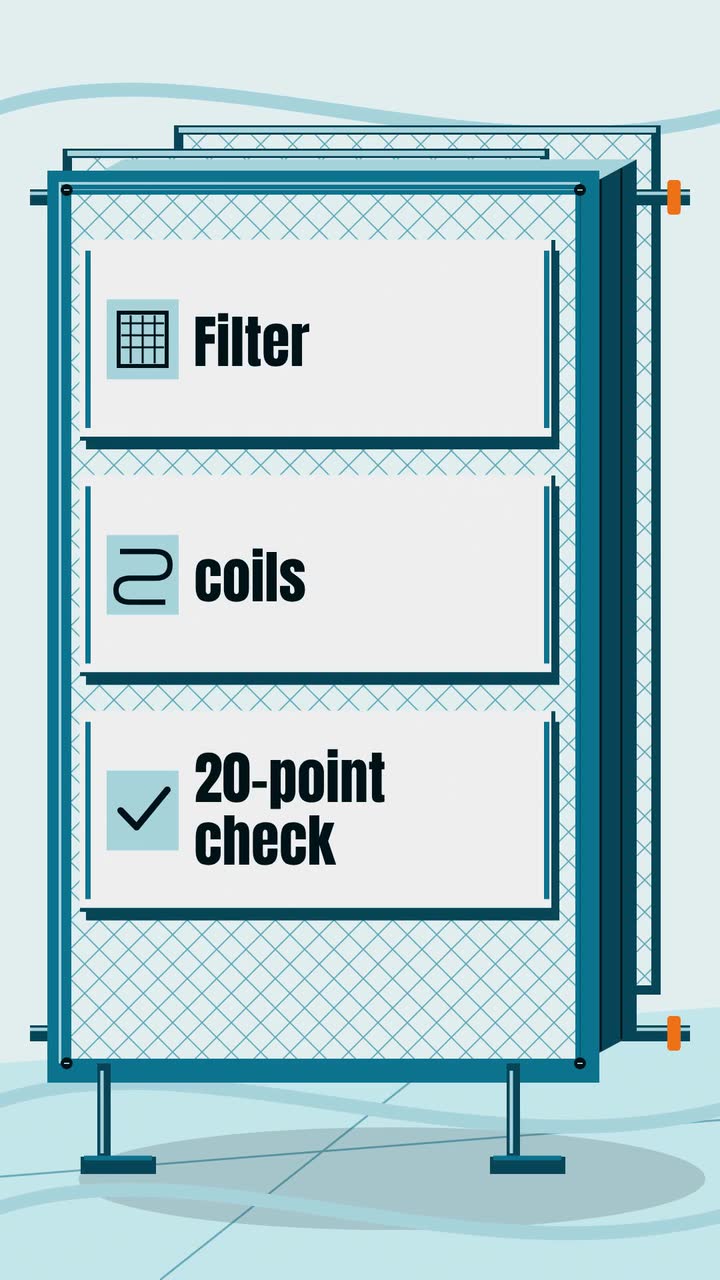
Take the checklist your technician uses and select concrete inclusions: for example, a thermostat check, coil cleaning and a drain inspection, if those are in your service. ENERGY STAR lists these maintenance tasks (checklist). Explain whether parts and repairs cost extra.
Try this: Show each task as a labelled icon. Put the complete scope beside the booking form.
Service offer · Checklist typeIllustrate a filter and ask viewers to inspect it. ENERGY STAR recommends monthly filter attention (filter guidance); have your technician explain the instructions for the filter actually fitted. Avoid treating every filter as disposable or showing a guessed size.
Try this: End with “check the size printed on your filter before buying a replacement”.
Show the information you use to discuss options: the fault found, repair price, equipment details and previous repairs. Use an illustrative quote, not an age cutoff that makes replacement sound compulsory. Offer both estimates only where both options are appropriate.
Try this: Close with “ask what the quote includes and what it leaves out”.
Show the service, price, eligible equipment and closing date together. Check whether the price applies to one system or more and whether cleaning is included. Treat last year’s video as a draft: dates, prices and inclusions all need checking again.
Try this: Watch it without sound. Can you identify the offer and its main condition without opening the caption?
Service offer · Seasonal offer posterRecord your own technician introducing their name, role and how the office confirms who is arriving. Film separately on your phone, without a customer’s address or paperwork in view. This is a real staff introduction, outside the text-only Procedural Videos brief.
Try this: Use the same introduction the team gives at the door, rather than a scripted claim about being the best.
Explain the assessment, how you communicate the findings and how additional work is approved. State whether the diagnostic charge is separate or credited toward a repair, according to your own policy. An illustrated sequence can explain the process without pretending to document a visit.
Try this: Ask the receptionist which fee question causes confusion, and make that the opening line.
Display the actual visit schedule, payment basis and exclusions. Give “priority booking” a concrete meaning, and explain whether repairs are included. Put cancellation and renewal information on the plan page; do not invent a standard package for all HVAC companies.
Try this: Make the yearly commitment clear even if your headline shows a monthly payment.
Comfort Air is an invented company in a Northern Hemisphere market. This adapts the Service offer template (Seasonal offer version), an example brief and storyboard, to a 15-second vertical video. The fictional $89 offer covers one central AC system, a standard filter change, coil cleaning and a drain check; repairs are separate. It is an illustration, not a recommended market price.
Make a 15 s, 9:16 vertical spring AC tune-up video for Comfort Air, in the poster style. Text: “Before summer”, then “AC tune-up · $89”. Include “Standard filter change · Coil cleaning · Drain check”. Keep “One system · Repairs extra” visible with the price. End with “Comfort Air · Book by May 31”. Use #0e7490, #f97316 and #ecfeff. Draw a simple outdoor unit and labelled symbols. No narration.
| When | On screen | Why |
|---|---|---|
| 0–2 s | A sun and outdoor-unit outline appear beside “Before summer”. | One short seasonal hook leaves space for the service offer. |
| 2–5 s | “AC tune-up · $89” appears with “One system · Repairs extra”. | The offer and its main conditions stay together; keep them visible through the next beat. |
| 5–11 s | “Standard filter change · Coil cleaning · Drain check” appears as a labelled row beneath the offer. | Show the actual inclusions together, rather than rushing through a long point-count checklist. |
| 11–15 s | “Comfort Air · Book by May 31” holds as the business’s final card. | This is a booking deadline, not a promise that the visit happens before June. Put the booking route in the post. |
| Outro | The ProcVideos outro closes the video. | |
The brief is text only. Each AI-planned generation differs: check the resulting video’s price, date, scope and reading pace, then regenerate with feedback if needed. Use your actual service terms instead of these invented ones. At launch pricing, a 15 s video is about 15 credits, about $1.50 (pricing). Videos Creator is coming soon to Attain OS.
Try a brief like this one
Videos Creator is coming to Attain OS. You can create your Attain OS account today.
U.S. FTC guidance says objective claims need evidence before publication (advertising guidance). Its consumer advice also recommends checking contractor licensing and insurance and getting written estimates (contractor advice). These are U.S. sources, not worldwide rules. This is general information, not legal advice; check current advertising and licensing rules where you work.
ENERGY STAR recommends a spring cooling check ([maintenance checklist](source:1)). Work backward from your own busy period and available routine appointments. In a year-round cooling market, choose a quieter booking period from your records rather than importing a spring campaign.
Answer the questions that delay a booking: what a diagnostic fee covers, whether repairs are extra, and what a maintenance plan includes. Use the post’s link to the relevant service page. Keep a note of which question customers mention when they contact the office.
Do not publish an objective savings claim without supporting evidence ([FTC](source:2)). State verified model information without converting it into a bill reduction. This is general information, not legal advice; check current local rules and get qualified advice for a proposed claim.
Draft one offer first. If the conditions or inclusions are hard to read, reduce the copy or choose a longer fixed length: 10, 15, 20 or 30 s for Procedural Videos. Keep important conditions beside the price; leave the complete inspection list on the service page.
Provide a place where customers can verify current credentials; the FTC recommends these checks to U.S. homeowners ([consumer advice](source:3)). Whether an ad must show a licence number depends on your jurisdiction. Check current local requirements rather than treating this guide as legal advice.
Example templates
An example template is a sample brief and storyboard for one kind of video, in one style, format and length.
Rules and platform features change. Check the source before you rely on it.
Home services
Fill a route, explain a rain delay or book leaf pickup: a seasonal video plan for lawn crews, with a worked cleanup brief.
Home services
Build a first-clean video for an invented company, then plan posts about recurring visits, deep cleans, move-outs and rental turnovers.
Home services
Turn ant calls, termite concerns and questions about the first visit into useful videos, with a local posting plan and careful treatment wording.

Home services
Turn questions about call-out fees, drain visits and water heater quotes into useful videos, with a cold-weather series for areas that freeze.
Tell the Attain OS team what you want to make.
Videos Creator is coming to Attain OS. You can create your Attain OS account today.